Pay MerchantProducts
Developers
Help & Support
Application Guidelines
Back

Payment APIs

Our Payment APIs allows you to handle 100% of your front-end interactions. Use our APIs and build your own checkout page with full control over your design.

Check out our Payment API documentation here.

Scenario
Scenario Characteristics
Problem to Fix
Offline supermarkets, convenience stores, restaurants, etc.
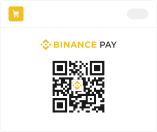
The merchant creates a QR code for a specific order using the POS machine. The QR code is then displayed to the user who scans it using the Binance client to complete the payment.
To meet the needs of offline Binance Pay checkout scenarios and offer solutions for POS machines that do not require code scanning devices.
Online retail
When a user places an order on the merchant's online PC mall, a QR code is generated based on the specific amount of the order. This code is displayed on the PC webpage for the user to scan using the Binance client to complete the payment. Once the payment is made, the merchant displays the payment result on the PC webpage.
For a quicker checkout experience, simply scan the merchant's code and bypass the login step on both h5 and PC platforms.

How it works

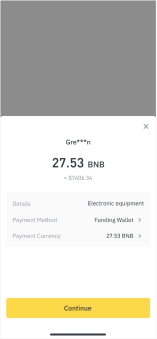
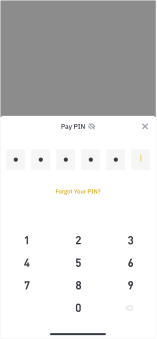
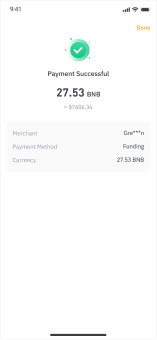
Merchant generates a order QR Code -> Users scan the QR code by their Binance App -> Confirm Pay -> Enter Pay PIN -> Payment result

imageimageimageimageimage

Who can use it

All Verified Binance Pay individual merchants or enterprise merchants

Alternatively, you can also use our Binance-hosted checkout page solution.

Ready to get started?

Join the thousands of other merchants who have already started their crypto journeys.